
 By
By 
Understanding Common M-PESA Scams
How to stay one step ahead of mobile money fraudsters
Mobile money has transformed how Kenyans send, receive, and manage their finances. M-PESA, in particular, has become a part of our daily lives, whether we’re paying bills, shopping online, or sending money to family.
Unfortunately, this convenience has also made M-PESA a target for fraudsters who continuously invent new tricks to exploit unsuspecting users.
To protect yourself and those around you, it’s important to understand how these scams work, what red flags to look out for, and how to respond when something feels off.
1. The Fake Promotion or “You’ve Won!” Scam
This is one of the oldest and most common forms of M-PESA fraud. You might receive a text message claiming you’ve won a prize in a Safaricom or M-PESA promotion, often with instructions to send a small “processing fee” or share your PIN to claim your reward.
Reality check: Safaricom will never ask for your M-PESA PIN or payment to release a prize. Any official communication from Safaricom will come through 0722 000 000 or verified channels only.
If you receive such a message, forward the number or text to 333 to help Safaricom take action against fraudsters.
2. The Wrong Number or “Send Back My Money” Trick
Another common scam involves receiving an M-PESA message that appears to show money was sent to you by mistake. Shortly after, you’ll receive a call from a “concerned sender” pleading with you to return it.
Here’s the catch: The message is often fake, generated using text-mimicking apps to resemble real M-PESA messages. If you send money back, it goes straight to the scammer.
Always verify your transaction history through the M-PESA app or by checking your SMS inbox before refunding any funds.
3. SIM Swap Fraud
SIM swap scams happen when someone tries to replace your SIM card without your knowledge, gaining access to your calls, texts, and M-PESA account. Fraudsters often use stolen personal information or trick you into sharing your ID details.
To protect yourself:
-
Whitelist your line by dialing 100100#. This prevents unauthorized SIM swaps.
-
Avoid sharing personal details such as your ID number, PINs, or passwords with strangers.
-
Check numbers registered under your ID regularly by dialing *106#.
If you suddenly lose network service without explanation, contact Safaricom immediately using 0722 000 000.
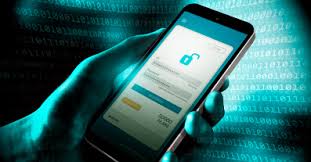
Understanding Common M-PESA Scams
4. The Impersonation Scam
Fraudsters sometimes pose as Safaricom staff, law enforcement officers, or even delivery agents. They’ll call and claim your line or M-PESA account has an issue that needs to be “verified” urgently — then ask for your PIN or personal information.
Remember: Safaricom will never ask for your M-PESA PIN, password, or one-time password (OTP).
Always confirm that you’re speaking with an official Safaricom representative. Verified accounts on social media display a blue verification badge.
5. Phishing Links and Fake Websites
In the digital era, scammers also send links disguised as M-PESA offers or updates. Clicking on these can expose your data or install malware on your phone.
If a message or link looks suspicious, don’t click it. Instead, visit the official Safaricom website or MySafaricom App for any updates or promotions.
How Safaricom Is Keeping You Safe
Safaricom continues to invest in advanced fraud detection systems and awareness campaigns to protect customers.
Through initiatives like the #BeTheEye campaign, users are encouraged to report suspicious activity and educate others about fraud prevention.
If you suspect any fraudulent activity:
-
Forward suspicious messages or numbers to 333
-
Call 0722 000 000 for official Safaricom assistance
-
Change your PIN immediately if you suspect it has been compromised
Stay Alert, Stay Empowered
As M-PESA continues to power Kenya’s digital economy, every user plays a role in ensuring safety. Fraudsters rely on ignorance and haste, but awareness is your best defense.
Stay vigilant, trust your instincts, and always remember: Safaricom will never ask for your M-PESA PIN.











Comments