
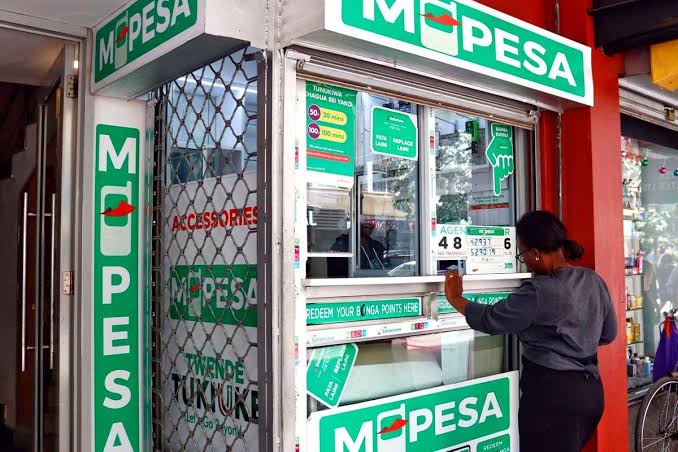

From specialized security devices to multi-person controls, Safaricom explains how it protects customer PINs and verifies transactions without human access to the original codes.
Ever wondered what happens to your M-PESA PIN after you create it? Or whether someone at Safaricom can access the code protecting your money?
Safaricom says it uses specialized security technology and strict internal controls to protect customer PINs. The system is designed to store and verify the codes without keeping them in a form that employees can read.
When banking services began in Kenya, customers relied on manual signatures to verify financial transactions. Automated Teller Machines (ATMs) later introduced PIN-based access to money. Then, when Safaricom launched M-PESA in 2007, digital customer identification became essential.
PINs became a key part of securing mobile money transactions.
How Safaricom Stores M-PESA PINs
According to Sabrina Barongo, Safaricom’s Cyber Security Assurance Manager, the company uses a Hardware Security Module (HSM) to securely store and verify customer PINs.
“We have something called a Hardware Security Module (HSM), and its job is to securely store and verify customer PINs. It’s a device. It’s a physical device that is within our data centres,” she explains.
Once a subscriber creates a PIN, it goes to the HSM, where it is hashed. This process applies a mathematical function that converts the PIN into scrambled numbers and letters.
Safaricom says it does not store customer PINs in clear text.
The system also uses a process called salting. This means it adds unique data to a PIN before hashing it. As a result, two subscribers with the same PIN can have different stored values. Their mobile numbers serve as unique identifiers.
What Happens When You Enter Your PIN?
When a customer initiates a transaction, they enter their M-PESA PIN. The system encrypts the PIN using a public key before sending it to the HSM through Secure Transport Layer Security.
This protects the information while it travels across the network. It also helps prevent interception, including what is known as a man-in-the-middle attack.
At the HSM, a private key decrypts the PIN. The system then hashes it and compares the result with the stored hash.
A match allows the transaction to proceed. The process takes place within seconds and requires no human interaction.
Can Safaricom Employees See Your PIN?
Safaricom says no employee can view a subscriber’s original PIN.
“On the question around whether someone in Safaricom can access the PINs. The answer is no. No one can see the original PIN. It’s already scrambled. So even if they were to somehow get to the HSM, they will just get a bunch of scrambled numbers that they don’t understand,” says Barongo.
The company also applies controls to protect the HSM itself.
During routine maintenance, technicians’ actions are video recorded and logged. Safaricom also uses continuous monitoring and alerts to identify suspicious activity.
Access to the HSM’s master key has additional safeguards. The key is divided into four parts, each protected by a password. Four people must physically enter their respective passwords at the same time.
How Zuri Handles M-PESA PIN Prompts
Safaricom’s AI virtual assistant, Zuri, can also prompt customers to enter their M-PESA PIN during authentication and verification.
However, the company says Zuri does not collect or store the PIN within its chats or hosting environment.
“Zuri is doing the process of prompting you for the PIN, but it doesn’t take your PIN and doesn’t store your PIN anywhere within its chats or where it is hosted,” Barongo says.
Safaricom says these safeguards work alongside its internal security controls. It also encourages M-PESA subscribers to remain vigilant when handling their PINs and responding to requests for personal information.
Watch the video to learn more
This article was first published by Safaricom Newsroom